


GF Industry and Infrastructure Flow Solution Connect Signet measurement data to a secure cloud dashboard for remote visibility, historical trends and configurable alarm notifications.
Stay connected. Stay informed.
The Signet 0260 DeviceLink™ provides a secure and efficient solution for remote monitoring of process parameters. Natively integrated with GF transmitters and sensors, DeviceLink delivers real-time visibility through a modern web dashboard accessible from any desktop or mobile device.
Your process. One clear view.

Site Overview
Displays all connected facilities or systems on a single map-based interface, howing device status, communication health, and key metrics at a glance.
Dashboard View
Presents detailed real-time readings and historical trends for flow, pH, onductivity, level, and other parameters. Charts update automatically and can be zoomed or filtered by time range. All channels from a DeviceLink modem are viewable in a single centralized dashboard.
Alarm Indicators
Visual notifications highlight critical or warning-level conditions, with direct links to device pages for immediate action.
Historical Trend Graphs
Overlay multiple variables to analyze correlations over time, supporting preventive maintenance and performance optimization.
One Connected Platform. Multiple Possibilities.
Extend remote process visibility across water treatment, chemical dosing, cooling systems, OEM equipment, compliance monitoring and logging, aquaculture and other industrial applications.

Ready to Get Connected?
Explore our How-To Videos for practical guidance on getting started with DeviceLink and making the most of your connected monitoring experience.
FAQs
Product & applications
What is Signet DeviceLink™?
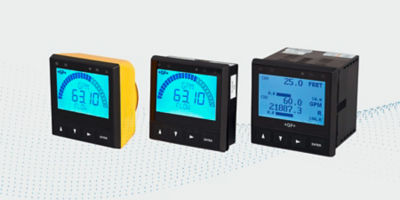
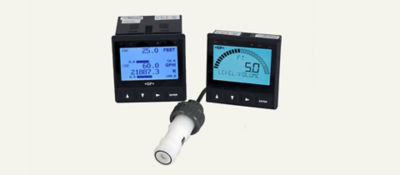
Signet DeviceLink™ is a cellular gateway and cloud-dashboard solution for remote monitoring up to six 9900/9950 transmitters in any combination up to 36 sensor channels depending on transmitter configuration. It brings process measurements, historical trends, and alarms to an internet-connected phone, tablet, or PC. With the ability to send unlimited notifications (alarms) vis SMS Text and or email.
What customer problem does Signet DeviceLink solve?
It provides remote visibility for installations where a traditional PLC or SCADA system may be too complex or costly, and where routine travel to equipment is undesirable, giving users 24/7-365 visibility to their process virtually anywhere. Simple plug-n-play as an upgrade to existing 9900/9950 Transmitters when equipped with Modbus output modules, or new installations.
Which transmitters are compatible?
Signet 9900 and 9950 transmitters equipped with the appropriate Modbus RTU (RS485) module.
How many transmitters and sensor channels can one gateway support?
One Signet DeviceLink gateway supports up to six 9900/9950 transmitters in any combination. Depending on the connected transmitter configuration, the system can support up to 36 sensor channels.
What applications are a strong fit?
Water and wastewater treatment, process water, aquaculture, fume scrubbers and chemical dosing, neutralization, OEM skids/ systems, environmental compliance monitoring, tank farms, well sites, and mining leach pads.
Does Signet DeviceLink replace a PLC or SCADA system?
Not necessarily. Signet DeviceLink is positioned as a user friendly, standalone turnkey solution for virtually any application requiring remote monitoring, data logging, trend graphs, and unlimited SMS text and or email notifications without a complex traditional implementation. Existing PLC or SCADA systems can remain where their control and integration capabilities are justified.
Connectivity, data & alarms
Does Signet DeviceLink use the customer’s IT network?
No, a local IT-network connection is NOT required for normal cloud communication. Signet DeviceLink uses its own cellular connection, which is why adequate cellular coverage at the installation point is required. The phone, tablet, or computer used to view the dashboard needs internet access.
How should cellular coverage be validated?
Confirm coverage at the exact installation location before purchase and installation. Current internal guidance uses a customer phone test first, a coverage-map review when coverage is weak or uncertain, and an escalation review for questionable locations. Basements, metal enclosures, utility rooms, and equipment rooms require extra attention.
What if cellular coverage at my site is weak?
Signet DeviceLink requires adequate cellular coverage for normal operation of data transmission. If coverage is weak or uncertain, contact your local GF Automation Area Sales Manager or sales office to discuss available options.
What happens if the cellular connection is interrupted, or network outage?
The Signet DeviceLink gateway can store data for up to a month while disconnected and automatically forward it after connection is restored.
What dashboard capabilities are included?
There’s a site map, process values along with color bar graphs, alarm indicators, historical trend graphs, process alarms, data logging with export capability. With Home, Support, Account Settings, Users, Billing, and Logout screens. Three levels of user access (Admin, Read/Write, or Read Only) with internet connected desktop and mobile devices.
How are alarms delivered?
User configurable e-mail and SMS Text alarm notifications, including unlimited recipients. With cloud updates occurring every five minutes.
How many users and alarm notifications are allowed?
There is no limit to the number of users or alarm notification recipients you can add to your DeviceLink account. It’s unlimited SMS Texts and e-mail notifications with annual subscription.
How often is process data logged, and can the logging interval be changed?
Process data is logged every 5 minutes. The logging interval is fixed and cannot be customized.
How much data history is retained?
18 months of rolling data logging history in the Cloud, and up to 30-days retention on gateway in the event of a temporary cellular outage and updated to the cloud once cellular signal resumes.
Ordering, hardware and installation
What is included in the Signet DeviceLink Start Package?
DIN Rail mountable Signet DeviceLink gateway modem, cellular antenna with 2m cable, QuickStart guide, and activation. The current order code is 159.002.313 and the manufacture part number is 3-0260-1.
What additional hardware is required?
Requires at least one 9900/9950 Transmitter, associated sensors, and a Modbus output module for each transmitter, sold separately. 3-9900.270-M2 Modbus module for the 9900-1P panel-mount transmitter, or 3-9900.270-M3 Modbus module for the 9900-1 field-mount transmitter, and 3-9950.395-M Modbus module for the 9950 series. The Signet DeviceLink gateway requires 9-30 VDC regulated, switching power supply with surge and reverse polarity protection.
Is programming required?
Signet DeviceLink is plug-and-play with compatible Signet 9900/9950 transmitters, and no programming skills are required. Simple intuitive menus for PC’s, tablets, and smart phones. Installation still requires correct power, transmitter configuration, Modbus wiring, cellular coverage, account setup, and subscription activation.
What power supply is required?
9–30 VDC, ~150 mA @ 12 V, regulated switching supply with surge and reverse polarity protection.
What is the expected lead time?
A standard lead time of 10 business days. Confirm availability and lead time when quoting because inventory can change.
Can I add DeviceLink gateways or 9900/9950 transmitters after my subscription has started?
Yes. Additional gateways and transmitters can be added at any time. New devices are added to your existing subscription and share the same renewal date as the original subscription. Charges for newly added devices are prorated based on the remaining subscription term.
Subscriptions and Billing
Is a subscription required?
Yes. A separate annual Signet DeviceLink service subscription is required to operate the remote-monitoring service and is purchased and managed through the Signet DeviceLink dashboard after activation.
How is billing determined?
12-month subscription, established at time of activation, is based on quantity of active transmitters connected to Signet DeviceLink gateway, with the first transmitter connected to the gateway treated as the Primary Transmitter; additional transmitters on the same gateway are treated as Secondary Transmitters. Billing updates when additional transmitters are activated. Additional transmitters activated during an existing subscription period are charged on a prorated basis through the end of that period and share the same renewal date.
What can a customer manage in the billing portal?
Using the cloud dashboard, access Billing > Manage Subscription. The billing portal supports viewing invoices, updating billing information, managing payment methods, and cancelling the subscription.
What payment methods are accepted for subscriptions?
Subscription payments can be made using common payment methods, including credit card and bank transfer.
Does the subscription renew automatically?
Yes, subscriptions automatically renew at the end of the subscription period. Cancellation in the billing portal prevents renewal but does not immediately end the current paid term. To stop renewal for a specific transmitter, turn off auto-renewal next to that transmitter’s line in the billing portal. The transmitter remains active until the end of its current paid subscription period.
Are Standard and OEM plans available?
Yes, standard plans for end users and OEM plans for OEMs or skid builders. The dashboard’s customer-type selection controls access to the appropriate billing workflow; OEM approval is described as required before device claiming and subscription activation. Contact your local GF Automation Area Sales Manager of GF Office for details.
Accounts and support
How does a customer get started online?
Once everything is wired and turned on, log onto GF.SCADA.Live or use the QR code on the Signet DeviceLink gateway to sign in, select the customer type, claim the DeviceLink, provide required billing details, and activate transmitters. Use the Instruction Manual and set up videos for the detailed procedure.
Where can I find setup instructions?
Everything you need to get started with Signet 0260 DeviceLink™ is available on this page. Visit the Downloads section for datasheets, Quick Start Guides and other product documentation, or explore the How-To Videos for step-by-step guidance on setup and use.
Who should be contacted for pricing or product support?
The local GF Automation Area Sales Manager or local sales office for pricing and terms.
What information should be collected before quoting?
At minimum: exact installation address, cellular conditions at the installation point, transmitter models and quantities, sensor-channel count, required Modbus modules, Standard versus OEM customer type, desired dashboard users and alarm recipients, enclosure needs, and the planned activation date.
Will missing data be recovered after I reactivate an expired or suspended subscription?
No. Data is not recorded while the subscription is inactive because of non-renewal or payment suspension. Reactivation resumes service but does not recover data from that period. This differs from a temporary cellular outage, during which the gateway buffers data for later upload.
Why am I not receiving e-mails or text messages?
Check that notifications are enabled for the required alarm, the appropriate notification group is selected, and the recipients’ email addresses or phone numbers are entered correctly. Adding a dashboard user alone does not configure alarm notifications.
Can I monitor 9900/9950 relay status?
No. DeviceLink does not support relay-status monitoring from 9900/9950transmitters. However, you can program these same alarm values and additional alarm values on the dashboard and receive them as SMS text and or e-mail notifications.
